Report Unauthorised Transaction

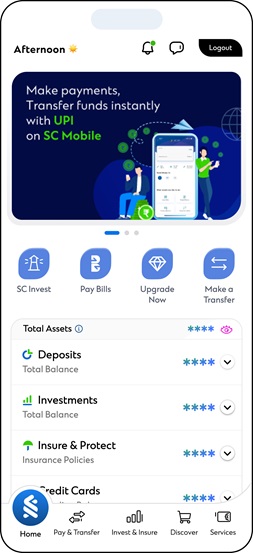
Using SC Mobile App

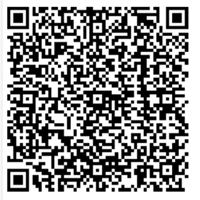
Scan the below QR code, log in securely, and access the section to report unauthorised transaction to raise your complaint.

  • Scan Now Scan Now

    Report Transaction dispute

    Scan QR to report an unauthorised transaction using SC Mobile App

    In qr utd

Using internet banking

Click the link, log in, and submit your complaint quickly and securely.

New to digital banking?

Click Here to register

By Contacting Us

Contact us through our dedicated phone numbers or write to us for prompt assistance and guidance.

Click here for phone banking numbers

By Visiting our Nearest Branch

Use our Branch Locator to find the nearest branch and get in-person assistance.

Using Complaint Form

Use our online complaint form and submit the required details securely for review and resolution.
How to raise disputes digitally?

Report unauthorised transaction
Report Lost or stolen card
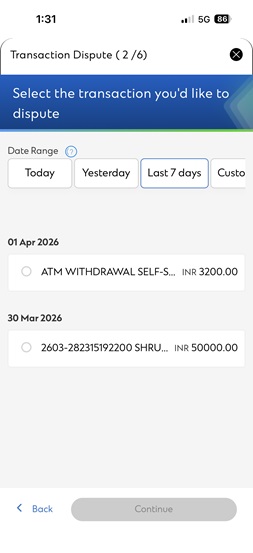
  • In txn dispute step
  • In txn dispute step
  • In txn dispute step
  • In txn dispute step
  • In txn dispute step
  • In txn dispute step

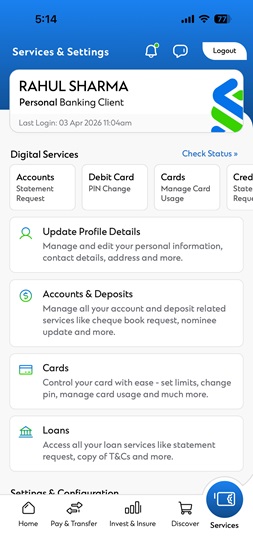
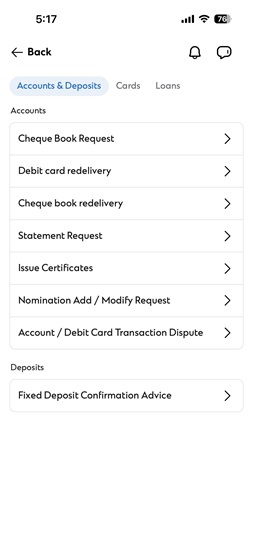
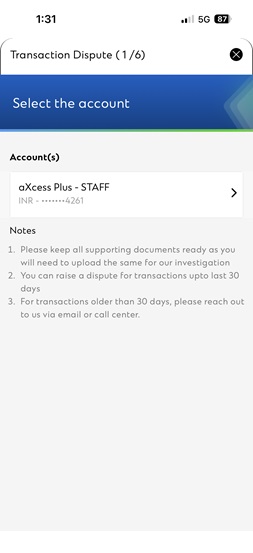
6 easy steps to Report unauthorised transaction

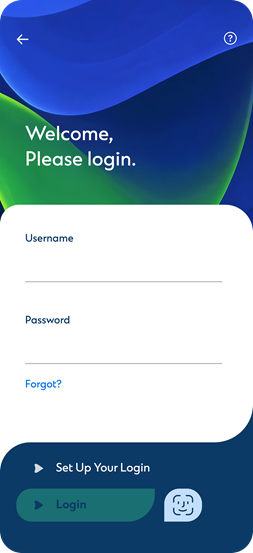
Step 1

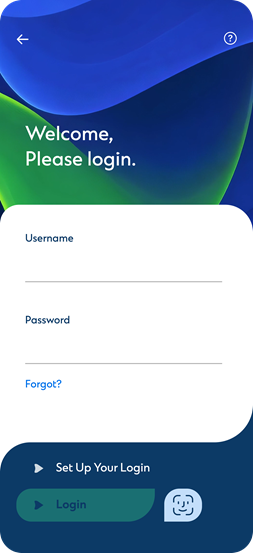
Login to SC Mobile App

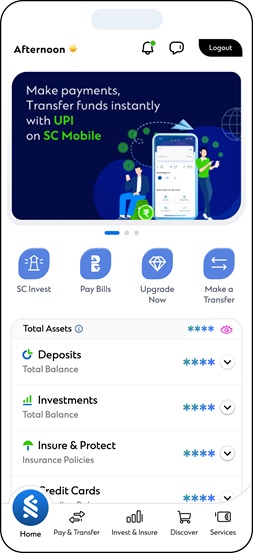
Step 2

Go to the Services tab

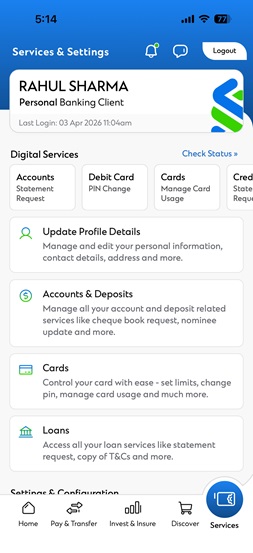
Step 3

Select ‘Accounts & Deposits’

Step 4

Select ‘Account/Debit Card Transaction Dispute’

Step 5

Enter your details

Step 6

Confirm and Submit

  • In report stolen card step
  • In report stolen card step
  • In report stolen card step
  • In report stolen card step
  • In report stolen card step
  • In report stolen card step

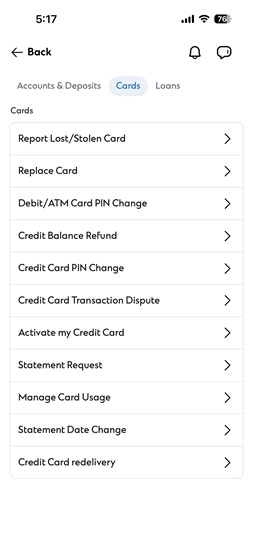
6 easy steps to Report Lost or stolen card

Step 1

Login to SC Mobile App

Step 2

Go to the Services tab

Step 3

Select ‘Cards’

Step 4

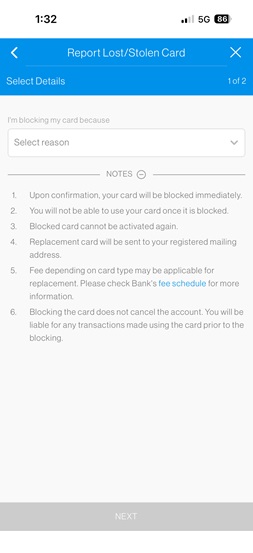
Select ‘Report Lost/Stolen Card’

Step 5

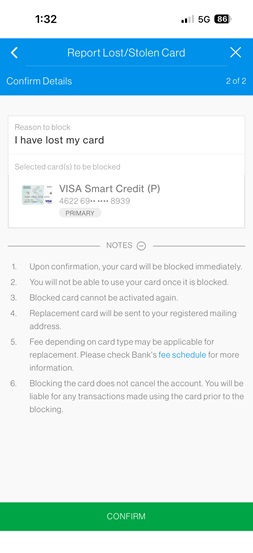
Enter the details

Step 6

Confirm and Submit

In gift citycontact us px px

Contact Us

For any queries concerns or additional support, our dedicated Contact Centre is here to assist you.

Call Ushttps://www.sc.bank.in/contact-us/

Write To Us – Email us at customer.care@sc.com